digital toolsfor an analog world
01 — Studio
We make software that lets hardware live in the modern studio — editors, librarians, samplers and plugins, founded by a working composer for people who play.
Ocean Control is a small independent studio based in Madeira Island, Portugal. Every product starts from the instrument on the desk: what it can do, what its manual never explains, and what a musician actually needs in front of them at three in the morning.
One shared core, native on macOS and Windows, and the same interface in a standalone app or inside the DAW as VST3, CLAP and Audio Unit. Nothing phones home. Everything works offline.
- EditorsFull-parameter editors that talk MIDI, SysEx and NRPN to the hardware in real time.
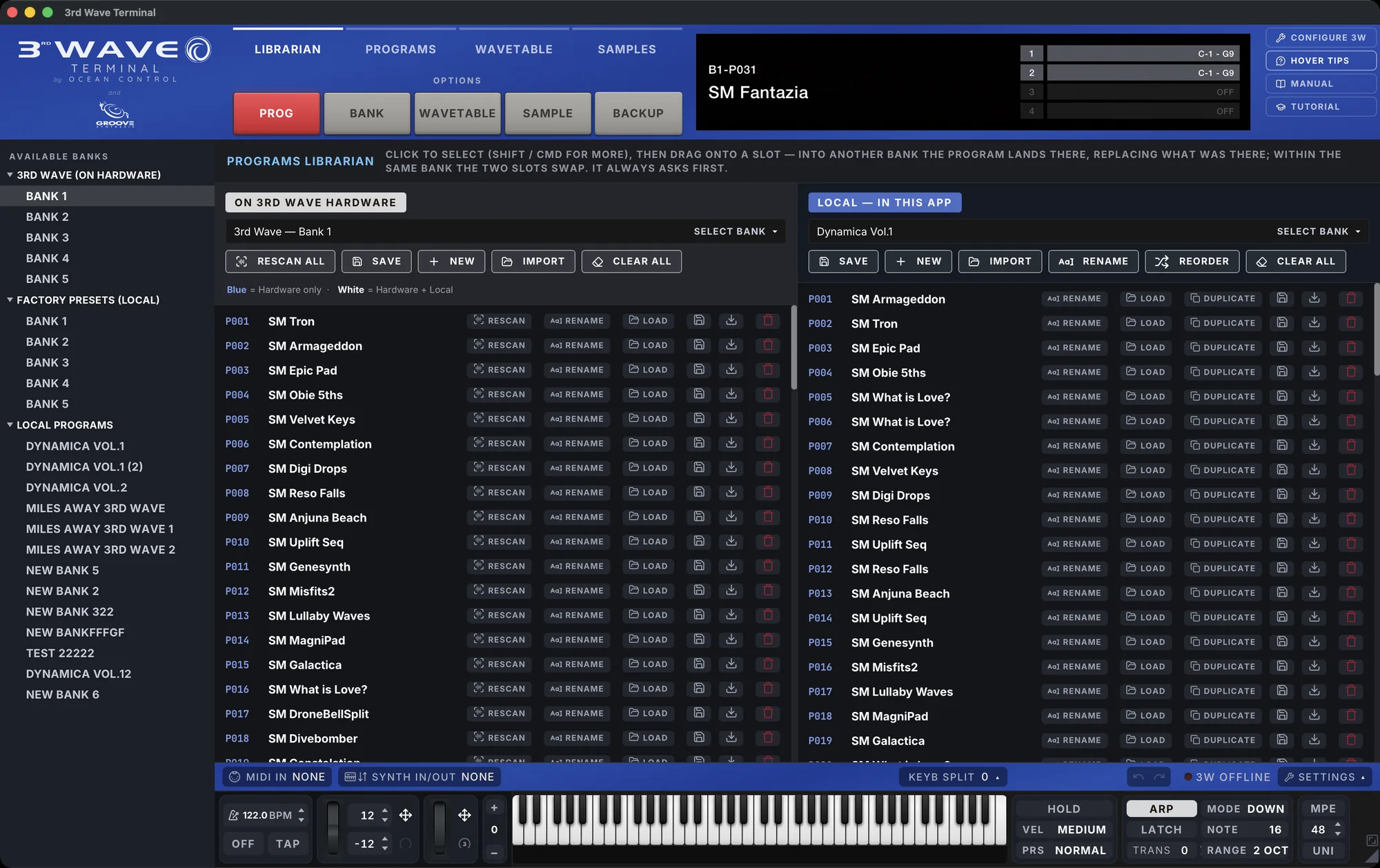
- LibrariansBanks, patches, wavetables and samples, organised, searchable and safe.
- PluginsThe same tool inside the session. Recall the sound with the project.
02 — First project


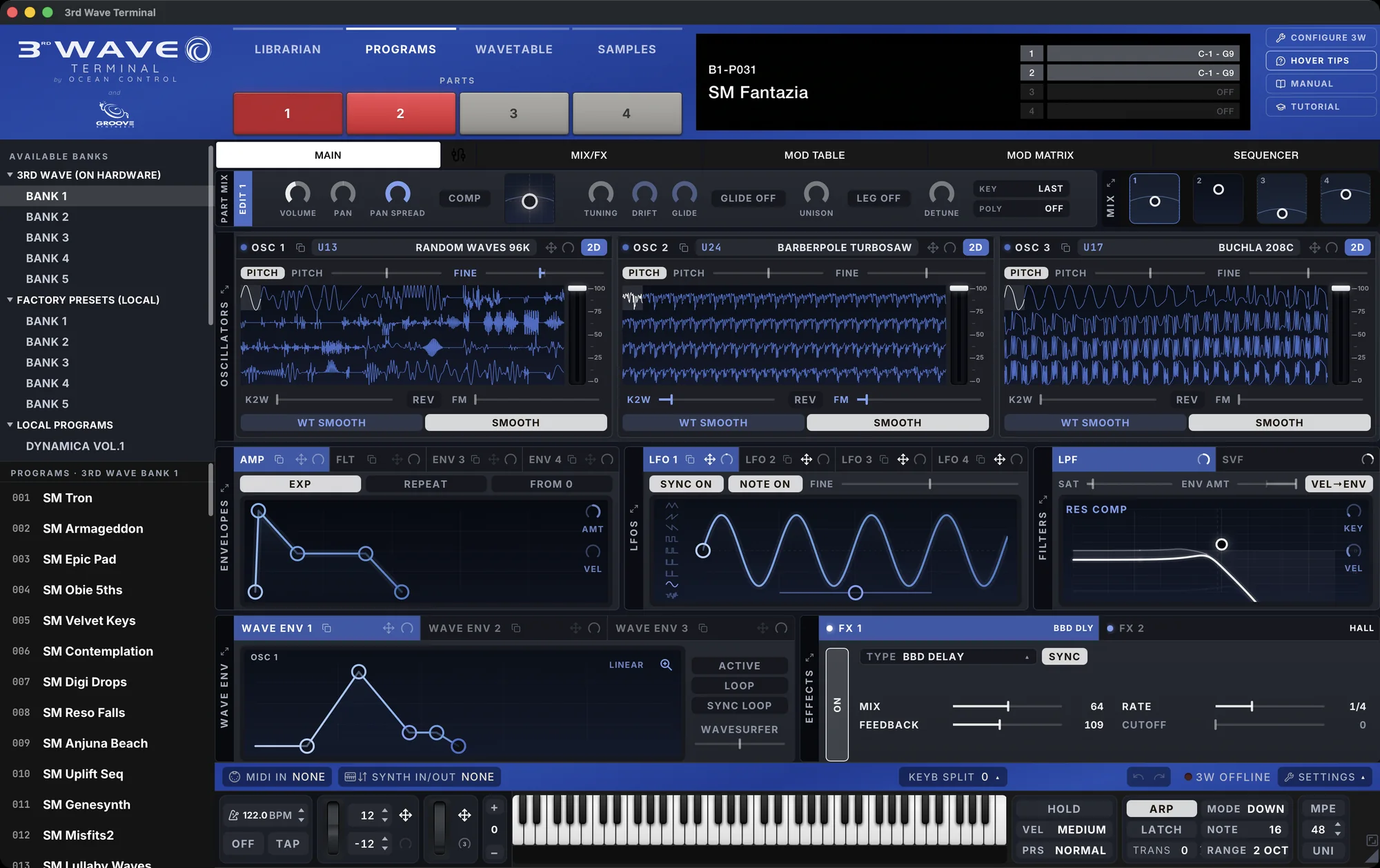
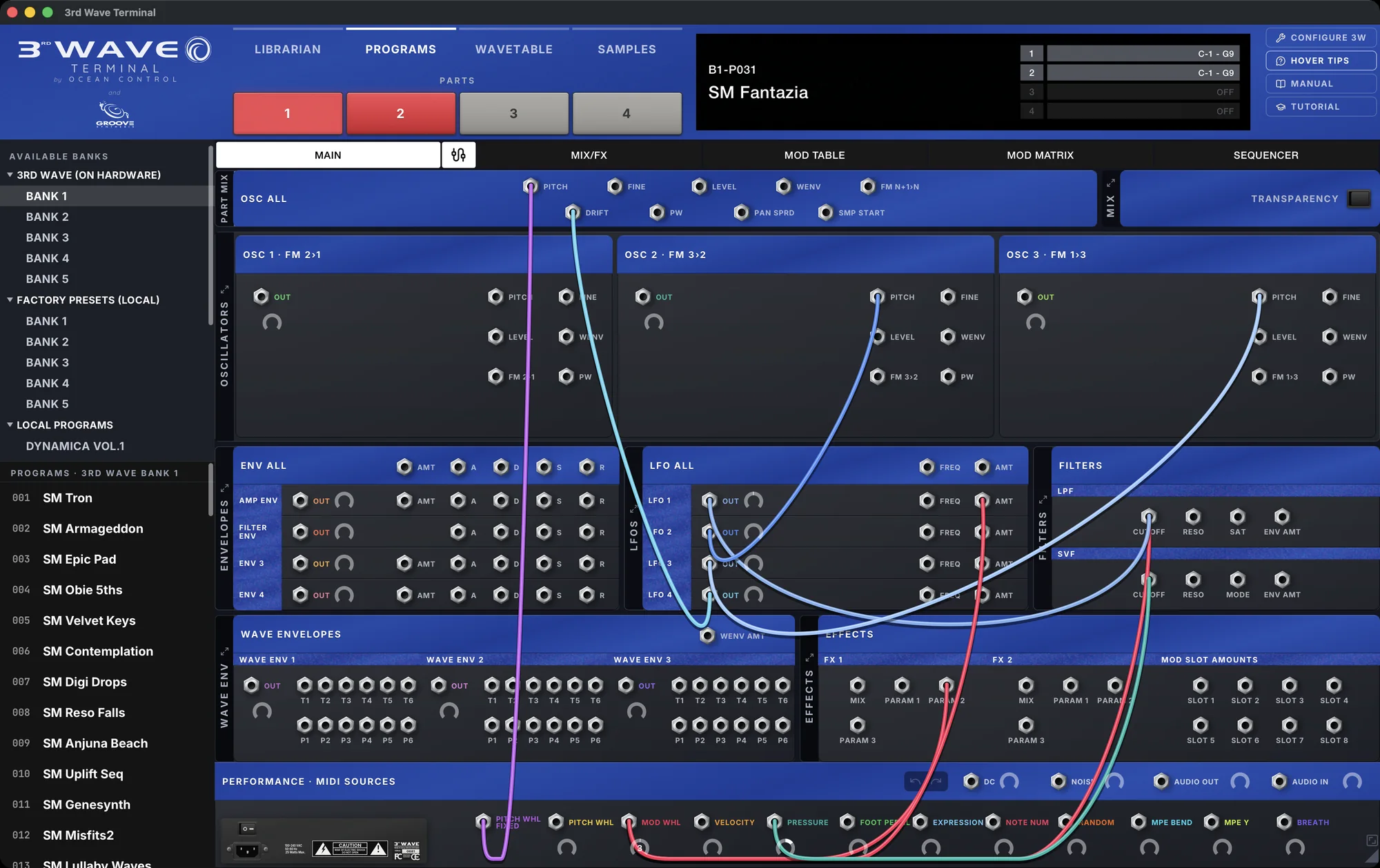
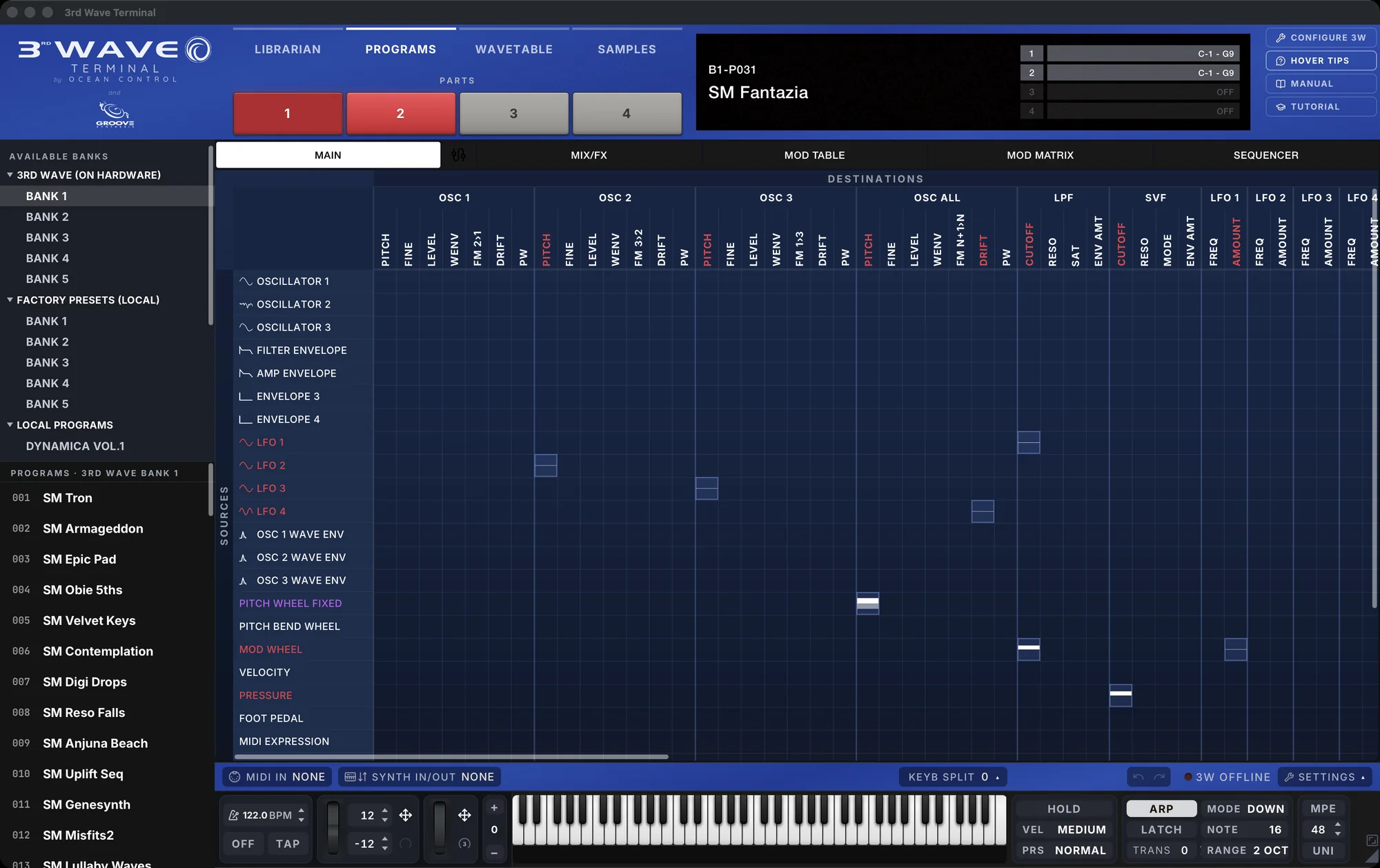
A complete window into the 3rd Wave. Every oscillator, envelope, LFO, filter and effect on screen at once, with live waveform displays and the whole modulation system laid out as a matrix or as patch cables.
What we set out to do
- Instant, effortless connectionPlug the 3rd Wave in and it is simply there. Programs stream from the hardware into the computer in real time, with no lag you can feel, and no ritual to learn first.
- Past the 500-program limitThe one thing every 3rd Wave owner asked for. The hardware holds 500 programs; the Terminal holds as many as you like. Click any of them and it loads into the synth seamlessly, as if it had been in there all along.
- A synthesizer inside the appThe Terminal is a software synthesizer in its own right: it plays wavetables and multisamples through its own engine, so you can audition any of them on the computer before they go anywhere near the hardware. What used to be a slow upload-and-listen loop now takes seconds.
- The whole synth on one screenA single, compact, modern interface with every parameter laid out logically, showing only what matters for the oscillators you have chosen. And everything is drawn, not just numbered: filter curves, envelope and LFO shapes, right down to PPG's obscure upper-wavetable behaviour, where the table opens up beyond its top limit.
Special thanks
To Bob Coover and Andrew Silverman at Groove Synthesis, and to Kurt Kurasaki, for their support and for creating the beautiful 3rd Wave.
Also thank you to Scott McAuley for all his help.
03 — 3rd Wave Terminal in numbers
macOS and Windows
3rd Wave Terminal · what an install is made of
| Our code, native binary (Windows 7.2 MB) | 10.6 MB | 30% |
| macOS is universal: arm64 5.1 · x86_64 6.0 | ||
| Our code, interface | 3.5 MB | 10% |
| JavaScript 1.95 · CSS 0.69 · 23 fonts 0.57 · images 0.28 | ||
| Groove Synthesis wavetables | 16.3 MB | 46% |
| Factory presets | 4.6 MB | 13% |
| Icons and acknowledgements | 0.3 MB | 1% |
| Installed (Windows 32.4 MB) | 35.3 MB | |
| Update after install, in the app | 5.9 MB |
The macOS disk image is 22.0 MB and the Windows installer 16.5 MB. A single-architecture Mac install would be about 30 MB, and on both systems 21 MB of every install is Groove Synthesis data.
Source
Lines of code · files
| Rust core | 32,563 | 47 files |
| Rust shells | 6,465 | 5 shells |
| app 1,573 · VST3 1,844 · CLAP 1,137 · AU 1,911 | ||
| Interface, TypeScript | 66,525 | 126 files |
| of which data tables | 7,549 | |
| Interface, CSS | 30,890 | 60 files |
Roughly 39,000 lines of Rust and 97,000 lines of interface: 136,000 lines in all.
04 — In development
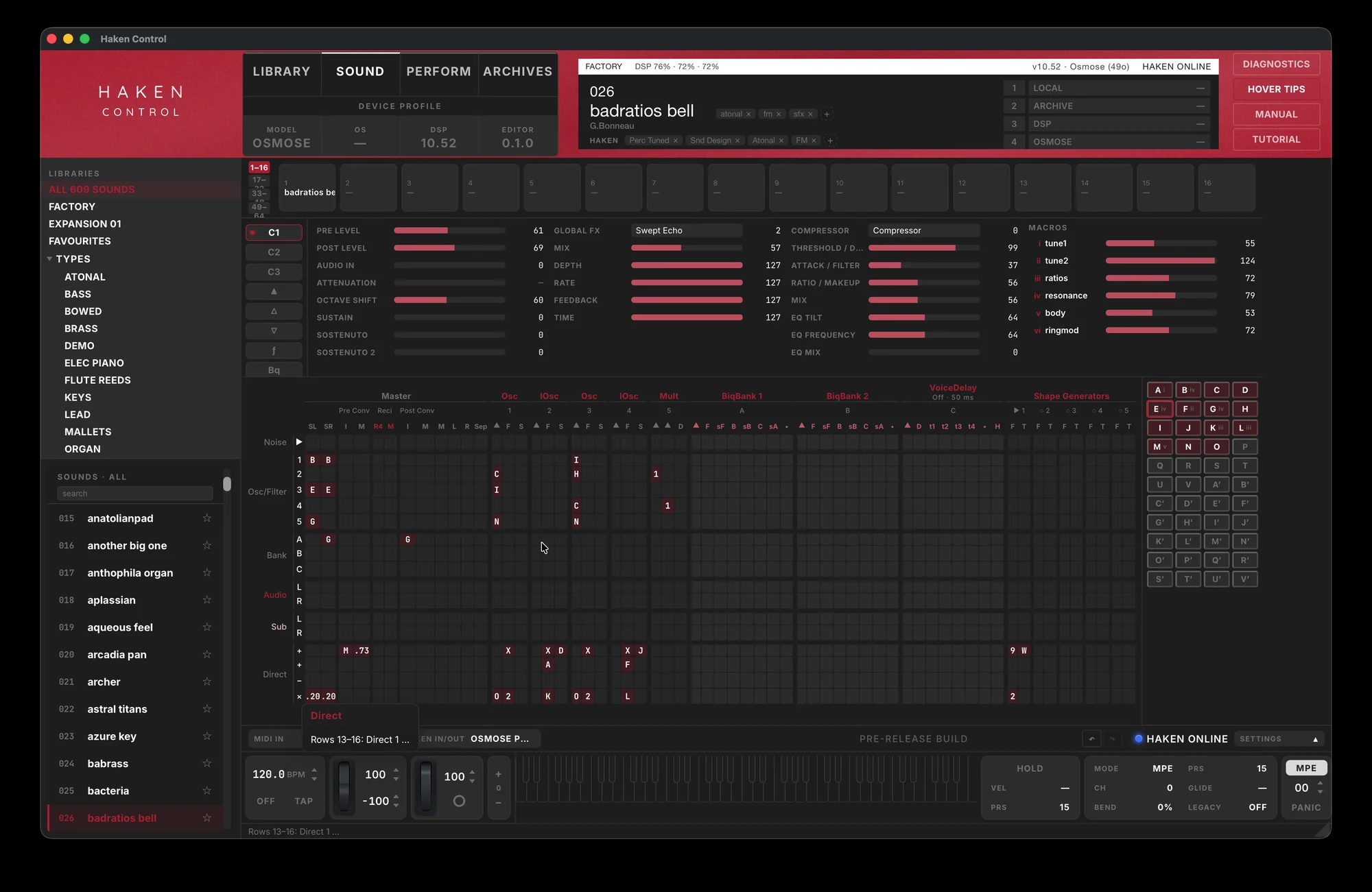
Haken Control
Every sound the Osmose can hold, in a library you can search, tag and audition — with the matrix, the macros and the effects on one screen, and the instrument answering as you work.
05 — In development
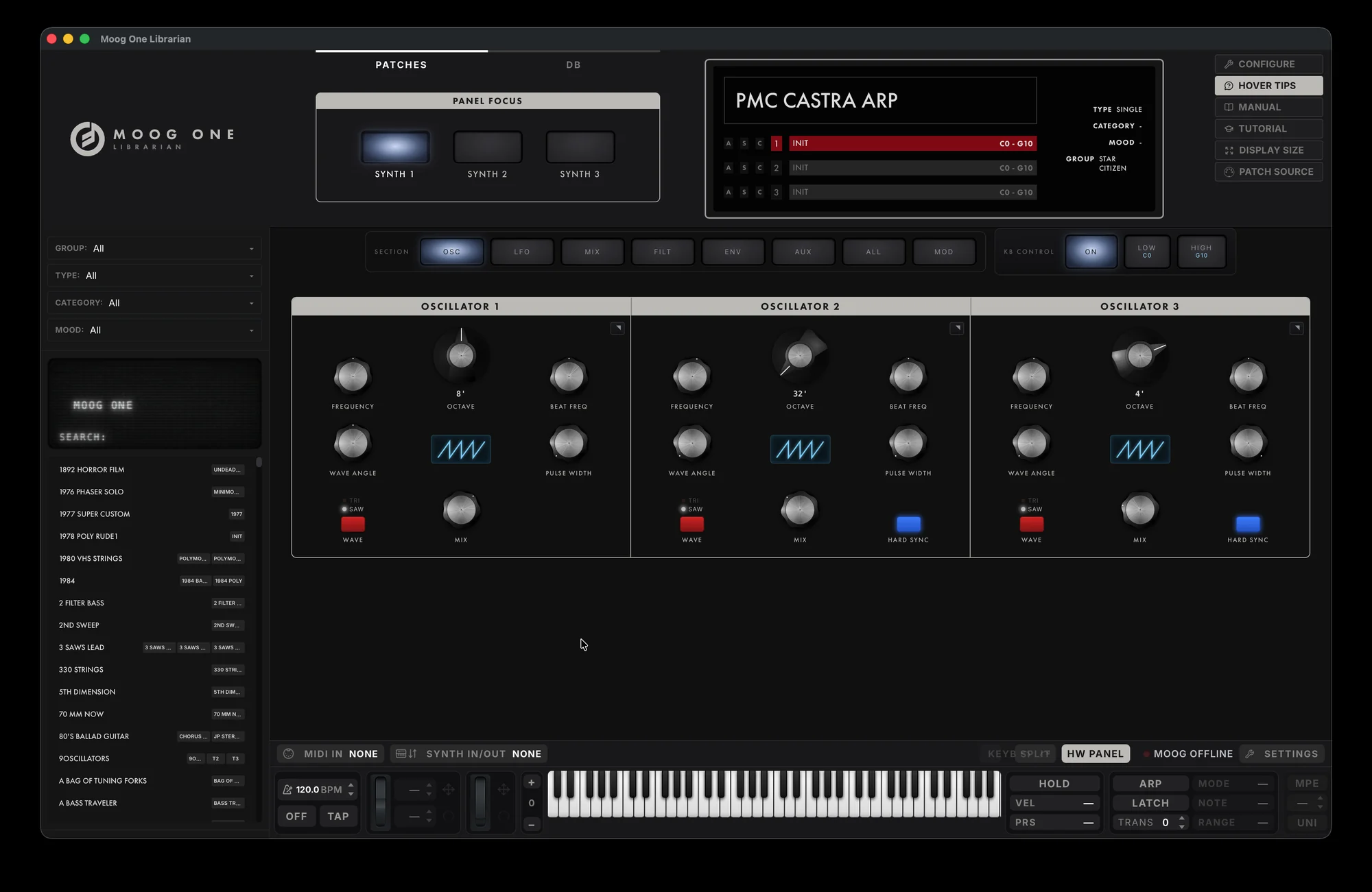
Moog One Librarian
Three synths, every panel, and a patch library that lives on the computer instead of inside the synth. It signs in to the Moog One, keeps both sets of databases in step, and drives the instrument from across the room.

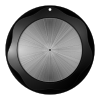
Every control in the app is drawn rather than photographed. One piece of vector geometry, lit from the left, its highlights held still while the cap turns.
Drag to turn · double-click to reset
04 — Contact